

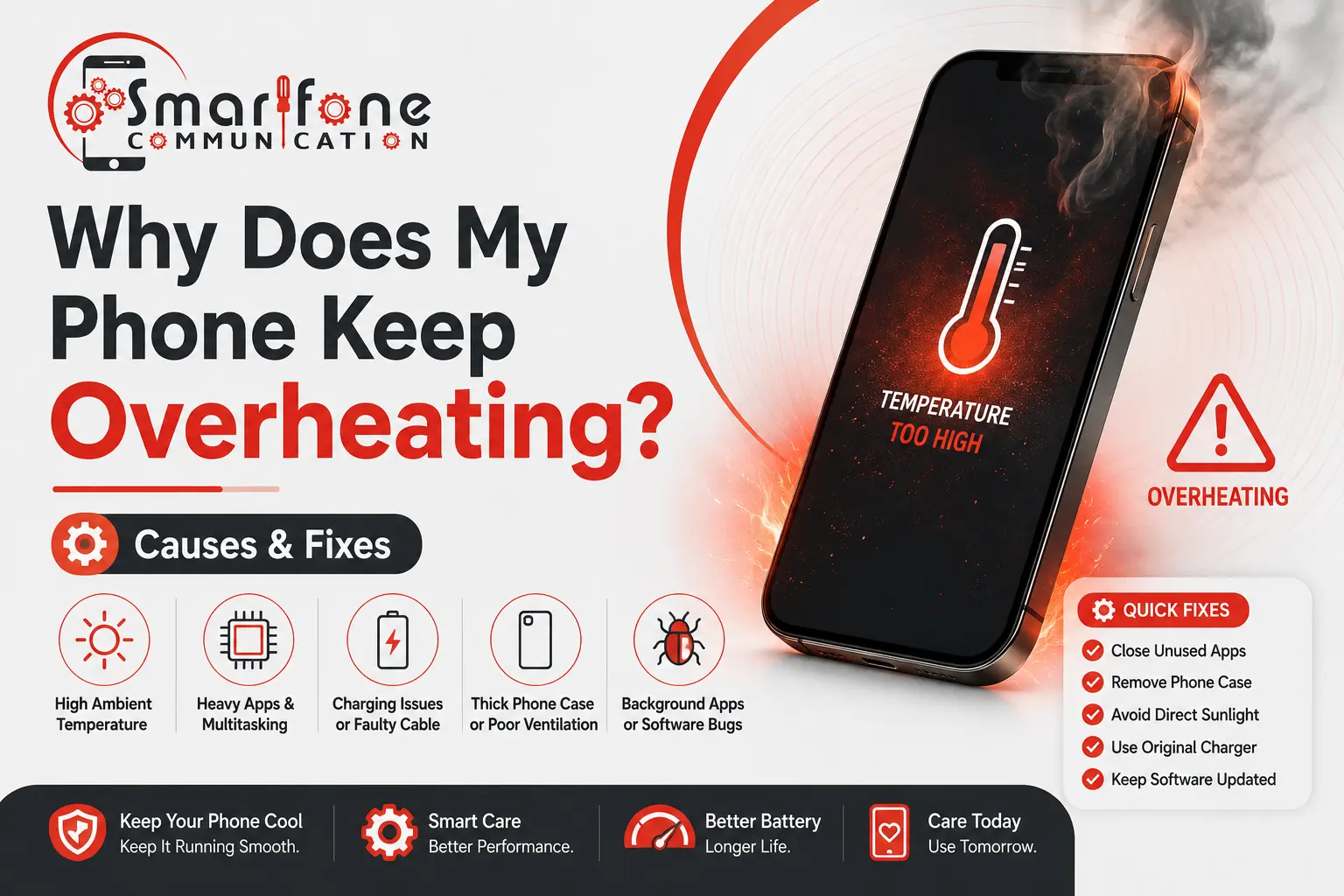
Is your phone hot to the touch even when you’re barely using it? You’re not alone. If your phone keeps overheating, you’re dealing with one of the most common complaints we handle at Smartfone, your trusted mobile phone repair centre for residents across Randwick and Sydney. Whether you’re on an iPhone, Samsung, or another Android device, a phone keep overheating can range from a minor annoyance to a sign of serious internal damage, and it should never be ignored.
This guide breaks down exactly why your phone overheats, what you can do about it right now, and when it’s time to bring it to a professional for mobile phone repair.
Is It Normal for a Phone to Get Warm?
So yes, phones get hot when you use them normally. All of these streaming video, gaming, charging or running navigation stress the processor and battery and generate heat. This is expected.
Overheating is different. Some devices may even shut down and warn you about the temperature or drastically lose battery life if those temperatures get to a point where your phone is hot enough that it isn’t really comfortable in your hand any longer. Neglecting the problem can cause irreversible damage to the battery, processor or internal components.
Top Causes of Phone Overheating
1. High-Performance Apps Running Too Long
It puts the squeeze on CPU and GPU for gaming, video editing, AR apps, and 4K video recording. If these run for long enough, especially at the same time, the processor puts out more heat than the passive cooling system of a phone can cool away.
Solutions: Shut down demanding apps that you are not using. For iPhones, swipe out of the app switcher. If you are using a Samsung device, use the Device Care features to optimise background actions.
2. Too Many Apps Running in the Background
These background apps refresh their data, sync content and are constantly running notifications. A dozen background processes can slowly heat the device, even if your screen is off.
Fix: Go to Settings > Battery (iOS) or Settings > Device Care > Battery (Samsung) and restrict background activity for apps that don’t need it.
3. A Faulty or Ageing Battery
Lithium-ion batteries degrade over time. An old, poorly conditioned battery has higher internal resistance, which means it requires more work to produce the same power. So if you keep your phone for more than 2–3 years and it gets too hot very often, the battery is mostly the cause.
Fix: Check battery health. For iPhone: Settings > Battery > Battery Health & Charging. A replacement is warranted at less than 80%. With regards to Samsung devices, check the battery through the Members app or call *#0228#. Book a battery replacement at Smartfone, our iPhone Repair Randwick and Samsung Phone Repair Randwick team handles this quickly, often same-day.
4. Charging with Non-Certified or Damaged Cables
Low-quality or damaged charging cables and adaptors lead to poor power delivery, resulting in inefficient charging, rather than being stored in the battery, excess energy is lost as heat.
This will get worse if you fast-charge incorrectly. Solution: Charge using MFi-certified (for iPhone) or Samsung-certified chargers all the time.
5. Direct Sunlight and High Ambient Temperature
Smartphones are meant to work somewhere between 0°C and 35°C, so putting your phone in a hot car, on a sunny beach or near a heat source pushes it out of safe operating temperature limits.
Solution: Keeping your phone out of direct sunlight. When it turns off from the heat, you cool your model at room temperature. Never put cold water washers or put them in the fridge, as this causes internal precipitation on rapid temperature changes and corrosion.
6. Malware or Rogue Processes
Experiments show how malware or software with bad sources running hidden processes in the background, consuming CPU all day long – e.g. killing battery and using energy to increase temperature, but in front, nothing happens on screen.
Fix: On Android, review recently installed apps and check battery usage stats. On iPhone, a factory restore (after backup) eliminates rogue software. If the issue persists, bring it to Smartfone for a professional diagnosis.
7. Outdated Software
Older OS versions often contain bugs that cause excessive CPU usage, inefficient memory management, or battery drain, all of which produce heat.
Fix: Keep your OS up to date. Go to Settings > General > Software Update (iPhone) or Settings > Software Update (Samsung) and install available updates.
8. Weak Signal or Constantly Searching for Network
Your radio antenna is on overdrive when your phone is in an area where the mobile reception and/or wi-fi signal isn’t so great. This sustained effort generates noticeable heat.
Fix: Enable Airplane Mode in areas with consistently poor signal, or toggle between Wi-Fi and mobile data. Reducing background app refresh also helps.
9. Hardware Damage or a Faulty Component
A cracked screen, water-damaged logic board, or failing internal component can cause short circuits or uneven power distribution, both of which produce heat. This is especially true if overheating started after a drop or liquid exposure.
Fix: This requires professional diagnosis. At Smartfone, we handle iPhone Repair Randwick, Samsung Phone Repair Randwick, Samsung tablet repair near me, and Mac repairs Randwick, all with transparent pricing and a warranty on parts.
When to See a Professional
DIY fixes work for software-related overheating. But if your phone overheats even during standby, shows repeated temperature warnings, has a swollen back (stop using it immediately, battery safety hazard), gets hot after a drop or water exposure, or loses charge rapidly alongside the heat, it’s time to see a mobile phone repair specialist.
Attempting to open the device yourself risks further damage and voids any remaining warranty. Smartfone is your local expert for smartphone repair near me Randwick. We repair iPhones, Samsung phones, Samsung tablets, and MacBooks using quality parts with a service warranty you can trust.
Visit us in Randwick, walk in or book online for a free diagnostic quote.
Quick-Fix Checklist for an Overheating Phone
- Remove the phone from direct sunlight or a hot car
- Close all background apps
- Remove the case while charging
- Switch to Airplane Mode temporarily if the signal is weak
- Update your OS and all apps
- Restart the device to clear memory
- Check battery health and replace if below 80%
- Avoid using the phone while it charges, especially with fast charging
Frequently Asked Questions
A: “No reason” Overheating is usually caused by one of three things: a background app consuming hidden resources, a degraded battery with high internal resistance, or malware. Check battery usage stats under Settings > Battery to identify the culprit. If nothing shows up, bring it to Smartfone for a free diagnostic.
A: Yes. Sustained high temperatures degrade lithium-ion batteries faster, can warp internal components, and in extreme cases, cause solder joints on the logic board to fail. Repeated overheating shortens your phone’s lifespan — address it early.
A: No. Rapid temperature changes cause condensation inside the device, leading to corrosion and short circuits. Let the phone cool naturally at room temperature in a shaded spot.
A: Charging generates heat naturally, but excessive heat usually points to a faulty charger, a degraded battery, or charging while running heavy apps. Use the original or certified charger, remove the case, and avoid gaming or streaming while plugged in.
A: Slightly warm, yes. Very hot or showing a temperature warning no. Samsung’s camera app is resource-intensive, especially in Pro Video or 4K mode. If it overheats within minutes of camera use, the battery or processor may need attention. Our Samsung Phone Repair Randwick team can run a full diagnostic.
A: Thick rubber or folio-style cases trap heat and prevent natural dissipation. This alone won’t cause overheating, but it will worsen existing heat issues. Remove the case when charging or during heavy use.
A: Warm = normal operating temperature, comfortable to hold. Overheating = uncomfortable to hold, triggering system warnings, shutting down automatically, or showing rapid battery drain alongside the heat. If you’re unsure, Smartfone offers free walk-in diagnostics.
A: Software-related causes, such as background apps, outdated OS, and poor signal, are easy DIY fixes. Hardware issues like battery replacement, logic board damage, or water damage require professional tools and parts. Opening the phone yourself risks further damage and voids any repair warranty.
A: Smartfone is your local go-to for mobile phone repair, iPhone Repair Randwick, Samsung Phone Repair Randwick, Samsung tablet repair near me, and Mac repairs Randwick. Walk in or book online, we offer same-day repairs on most issues.
A: As chipsets become more powerful, especially AI-accelerated processors in 2024–2026 devices, they generate more heat under load. Manufacturers like Apple and Samsung are investing in vapour chamber cooling and improved thermal management, but thinner device designs limit passive cooling. Proper care and timely battery replacement remain essential even for the latest models.
Need help with your phone? Visit Smartfone in Randwick, your trusted local experts for smartphone repair, iPhone and Samsung repairs, tablet fixes, and Mac servicing.