
Battery drain is one of the most frustrating problems any phone user can experience, and it always seems to happen at the worst possible time. Whether it’s your iPhone dying by noon, your Samsung tablet grinding through a meeting, or your old iPod touch giving up halfway through your playlist, the frustration is real. We over at Smartfone have recycled thousands of devices and know precisely what it is that drains battery fat, and more importantly, how to prevent it.
This guide explains the real explanations for why your battery isn’t lasting, what you can do right now, and when it’s time to bring your device in for a professional battery replacement or screen repair.
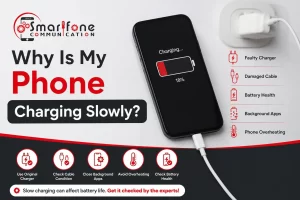
Why Is My Battery Draining So Fast?
Power loss isn’t arbitrary; usually, there’s an identifiable reason. Constant data fetching by background application activity occurs even when unused. Excessive screen brightness stands out as a major device power hog. Aged or worn-out battery cells naturally lose their original capacity. Weak signal strength compels your handset to expend more effort sustaining a poor link. Inefficient power handling due to older operating systems compounds the issue, alongside perpetually active location tracking and alerts.
Pinpointing the source is the initial action. However, once a power unit’s ability significantly diminishes, often beneath 80% for Apple products, no software adjustment will completely bring back its original state. At that juncture, obtaining a same-day battery swap for your Apple device via Smartfone becomes the most logical choice.
Top Tips to Extend Your Phone Battery Life
1. Turn On Optimised Battery Charging
Optimised Battery Charging is found in iOS 13 and newer Apple devices. It learns your usual charging habits and temporarily halts the charge once it passes 80 percent, to avoid material degradation. You can switch it on within Settings, then Battery, and subsequently Battery Health. Just this setting, by itself, can substantially prolong your battery’s lifespan.
2. Manage Screen-On Time
Set your screen to turn off after 30 seconds or less, and also enable automatic brightness adjustment. The screen is the biggest drain on battery for today’s smartphones. For users needing broken iPhone screen repair, we frequently encounter units where a fractured display has affected touch function, leading the screen to remain active longer than necessary, yet another point for fixing iPhone screen problems quickly.
3. Limit Background App Refresh
Go to Settings > General > Background App Refresh and turn it off entirely, or switch it off for specific apps that don’t need to access real-time information. Applications for social networking are frequently major contributors here.
4. Use Low Power Mode Strategically
Activating Low Power Mode on your iPhone reduces background activities, automatic downloads, and checking for new mail. Enable this feature when your battery reaches 30% rather than waiting for 20% to substantially extend your device’s operational time per charge.
5. Check Battery Health Regularly
iPhones: Settings > Battery > Battery Health & Charging. If your maximum capacity is below 80%, performance throttling may already have been applied. This is the clearest sign that you need an iPhone battery replacement. Sydney is renowned for its timely, same-day quality service.
6. Avoid Charging to 100% Every Night
Lithium-ion cells are happiest when they’re between 20 and 80% charged. Regularly charging to the full 100% and discharging to zero speeds up the chemical degradation. Holding the charge around the 80–90% mark overnight is preferable for sustaining battery longevity.
When DIY Tips Aren’t Enough: Time for a Professional Repair
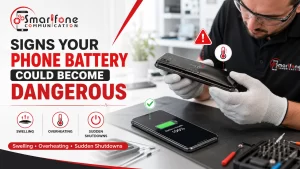
Software adjustments have their limits. If your iPhone, Samsung tablet, iPod touch, or LG handset still suffers from fast draining despite you changing the settings, then chances are the battery itself is to blame. Crucial signs that you need a repair are if your battery health drops below 80%, the unit shuts off unexpectedly when it has 30–40% charge remaining, the phone feels too hot during standard use, charging takes an inordinate amount of time longer than normal, or the percentage display of your battery fluctuates erratically.
Here at Smartfone, we focus on speedy and cost-effective battery swaps for a broad selection of gadgets. Whether you need an Apple battery swapped out the same day, a Samsung tablet battery replaced, or even service for an iPod touch 5th generation or iPod touch 6th generation battery, we keep the necessary components and knowledge readily available. The majority of battery exchanges are finished in under sixty minutes. There’s no reason to leave your device with us overnight.
Smartfone’s Device Battery Repair Services
We address a wide variety of battery and display repair requirements for all leading makes and models. Services we provide include Sydney iPhone battery replacements with same-day service, rapid Apple battery replacement for any iteration of the iPhone from 7 through to 17 series, and Samsung Galaxy Tab batteries, including A, S6, S7, and S8 lines; along with specific battery servicing for iPod touch 5th & 6th gen devices commonly selected as kids devices and dedicated music systems.
We also repair LG mobile phone issues; for example, your battery might be having problems, or the charging port isn’t working correctly. We also repair iPads and other tablets of any generation, and replace cracked, unresponsive, or otherwise damaged iPhone screens. Need a fast iPhone fix or same-day iPhone repair? Our experts are efficient while maintaining high standards. We provide Apple iPhone screen fixes concurrent with battery replacements, meaning if you have a broken screen and a failing battery, we can resolve your iPhone problems in just one appointment.
Industry Trends in Battery Technology
Power cell innovation is progressing rapidly, transforming the landscape of mobile phone servicing. Latest handsets such as the Xiaomi 14 Ultra incorporate silicon-carbon anode power sources, enabling greater energy concentration and more stored energy within a more compact unit. Solid-state power cells are anticipated to arrive in user electronics in the upcoming years, offering quicker replenishment, extended durability, and improved safety.
From a rules perspective, the European Union’s directive supporting device upkeep and increasing emphasis in Australia are compelling makers to design batteries that owners can access more readily, simplifying repairs for both technicians and those doing it themselves. In addition, companies such as Apple, Samsung, and Google are building more refined power unit status statistics into their software, so it is easier than ever to determine exactly when it is time for a change.
Frequently Asked Questions
How long does an iPhone battery replacement take at Smartfone?
Most iPhone battery replacements are completed within 30 to 60 minutes. We offer same-day iPhone repair and Apple battery replacement, same day so you’re never without your phone for long.
How much does an iPhone battery replacement in Sydney cost?
Pricing varies depending on the model. At Smartfone, we provide upfront, transparent quotes before any work begins. Contact us directly for current pricing on your specific device.
Does replacing my iPhone battery void the warranty?
If your device is still under AppleCare+, it’s worth checking whether Apple will cover it first. For out-of-warranty devices, third-party replacements from certified shops like Smartfone are a reliable and cost-effective alternative.
Can you replace the battery in an older iPod touch?
Yes. We offer both iPod touch 5th generation and iPod touch 6th generation battery replacement services. These are popular for parents who use them as kids’ devices or for dedicated music players.
Is it worth replacing a Samsung tablet battery?
Absolutely, especially if the rest of the tablet is in good condition. Samsung tablet battery replacement is significantly cheaper than buying a new device and can restore full functionality. We carry stock for the most popular Galaxy Tab models.
My iPhone screen is cracked, and my battery is draining fast. Can you fix both?
Yes. We handle broken iPhone screen repair and battery replacement in the same visit. Many customers come in for a phone fix on their screen and leave having sorted their battery too.
What causes rapid battery drain after an iOS update?
After a major iOS update, your iPhone reindexes content and runs background processes that temporarily increase battery usage. This usually settles within 48 to 72 hours. If it doesn’t improve, your battery health may already be low, and a replacement could be needed.
Do you repair LG phones?
Yes. We offer LG mobile phone repairs covering battery replacements, screen repairs, and charging port issues. We stock parts for many popular LG models.
Can you repair iPad batteries?
Yes. Our iPad and Tablet Repair service covers all iPad generations, from iPad Air to iPad Pro and iPad Mini. A battery replacement can make an older iPad feel completely new again.
Book Your Repair at Smartfone Today
Don’t let a flat battery impede your day. Whether you require a quick iPhone fix, a new battery for your Samsung tablet, or a cracked iPhone screen replacement, Smartfone is your dependable neighborhood repair specialist. We provide iPhone repair and Apple battery replacement on the same day, recognizing how important your device is to you. Come by our shop or schedule an appointment online. Most fixes are completed while you wait.
Smartfone Speedy, Budget-Friendly, Expert Device Repairs.