
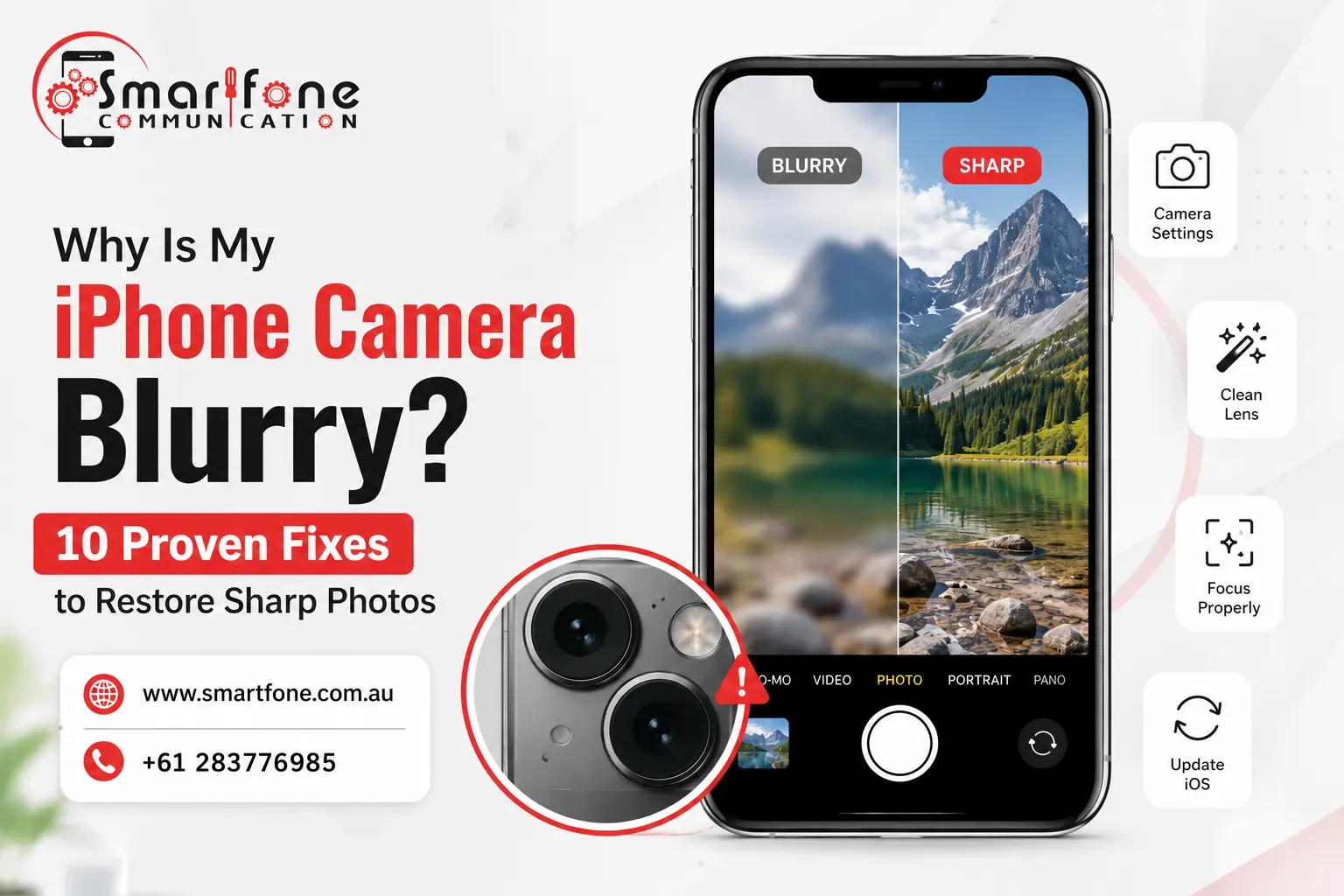
You set up for the perfect shot, press the shutter, and there it is: a soft, smoky photo or entirely out of focus. You Are Not Alone: If This Keeps Happening, probably the most recurrent complaint at Smartfone is an iPhone camera blurry, and in most of these cases, it can be fixed without having to send your phone for service.
The simplest answer: Dirty lens, a stuck camera app, poor autofocus performance in low light, cracked lens, or debris trapped between the lens and its glass cover. Most of the time, just cleaning the lens or restarting the phone solves it. We now know how to fix the blur in software – should those techniques fail, and it be something that can be fixed without replacement hardware (where a pro camera repair comes into play).
Here are the 10 fixes we recommend, in the order we’d try them ourselves.
1. Clean the Lens Properly
Without a doubt, the most common reason for a blurry iPhone camera is also the easiest to solve: a dirty lens. Pocket lint, fingerprint oil, and dust accumulate on the tiny glass dot more quickly than most people think (penguin law) if you do not use a case with a raised lip.
Take a dry microfiber cloth (like the ones for glasses) and gently rub it in small circles. Do not use paper towels, tissues, or your shirt; they will leave micro-scratches that create a permanent soft-focus effect. If smudges won’t budge, a drop of isopropyl alcohol on the cloth, not directly on the phone, usually clears them.
2. Remove Your Case and Screen Protector Overlap
A poorly cut screen protector or a cheap case could cover part of your camera lens or camera bump, causing blurry photos, dark corners, and a hazy ring around your pictures. Remove the case and get a test shot. If you no longer see a blur, you have found your solution; the case is to change it.
3. Check for Condensation or Debris Under the Lens Glass
If recent changes between hot and cold environments, or the phone was wet, you may see fogging that no amount of wiping seems to be able to cure. It means that either moisture or dust has gotten between the lens and the protective piece of glass surface over it. Keep your phone in a dry, ambient environment for hours. If after 24 hours the fog is still present, it is a hardware problem that will require specialist repair. Left unattended, trapped moisture can cause corrosion.
4. Restart Your iPhone
It may seem obvious, but a lot of complaints about “iPhone autofocus not working” are actually nothing more than a software bug in the Camera app or image processing path. A restart cleans the memory cache and usually returns the site in crisp focus almost immediately. Press the side button and the volume button. When the slide to power off shows up, turn it off for 30 seconds before turning it on again.
5. Force Close and Reopen the Camera App
Instead of restarting the entire phone, first try just closing the Camera app. You can launch it and go through your open apps by swiping up from the bottom (or double-clicking the home button on older models), then swipe that one away. Reopen it and test again. This resolves temporary autofocus freezes without needing a full reboot.
6. Clean Your Screen Too
If your samples are blurry in preview but perfect once saved, the issue isn’t with the lens: it’s likely due to a dirty or scratched screen. The same way you would give your lens a clean, tidy the surface, and see if under bright light any small scratches were altering what you visualize live on screen.
7. Reset Camera Settings and Preferences
A corrupted setting can quietly wreck focus performance. For this, head to Settings > General > Transfer or Reset iPhone > Reset > Reset All Settings. It will not remove your photos or data, but it resets system preferences, including camera behavior, to defaults. Indeed, a lot of users looking for how to reset iPhone camera settings find that this gesture alone solves continued softening.
8. Tap to Focus and Use AE/AF Lock
The biggest problem with any iPhone is that it can focus on the wrong part of a scene when you have lots going on in the background or some fine detail to capture in macro photos. But before you do, tap the screen directly on your subject in through difficult light, tap and hold to lock auto-focus (known as AE/AF Lock), which stops the camera from ‘chasing’ focus in a shot.
9. Improve Your Lighting
However, autofocus systems require a light for or they wont it have the reason to work accurately. It slows down its shutter speed in the low-light conditions of dimly lit rooms or at dusk to compensate, and such a small hand movement results in noticeable motion blur. This is one of the most overlooked reasons iPhone photos are blurry. Add a light source, use Night Mode deliberately rather than fighting it, or brace your arm against something solid to reduce shake.
10. Get a Professional Lens or Camera Module Inspection
If you go through the steps outlined above and photos remain soft, out of focus, or displayed with a crack, spot, or dark splotch that won’t come off, you’re dealing with an issue of hardware: a scratched or cracked lens, a dislodged camera module, or moisture damage incurred from being dropped or splashed. Not something you can either patch up with third-party lens attachments or DIY kits, which usually do more harm. A same-day professional assessment will tell you whether it’s a lens replacement or a full camera module swap.
When Should You See a Repair Technician?
Book a repair if you notice any of the following:
- Blur only in one corner of every photo (points to a physical lens or sensor issue)
- A visible crack, chip, or dark spot on the camera lens itself
- The phone was recently dropped or got wet before the blur started
- The focusing sound of the camera makes a rattling or clicking sound
- Autofocus just never locks on, even in bright, well-lit settings
- The problem is limited to a single lens (such as a good ultra-wide, but soft main lens)
Such are traditional indicators of a cracked lens, a bent camera bracket, or a failed autofocus motor and will never be obtained from settings.
How Smartfone Can Help
Here at Smartfone, our technicians diagnose camera problems on the spot using similar checks as above to see if it is a quick clean-up, resetting some settings, or an actual hardware repair. We stock OEM camera modules and lenses for same-day iPhone and Samsung repairs.
If you are close to iPhone Repair Randwick, Samsung Phone Repair Randwick, or Mac repairs in Randwick, our local team will assess your camera for you, run a full diagnosis, and provide an honest, upfront quote before any work begins. Search “mobile repair shop near me,” and you’ll usually find us close by, ready for a walk-in.
Frequently Asked Questions
iOS updates occasionally reset camera calibration data or introduce a temporary bug in the image processing pipeline. Restart the phone and reset camera settings first; if that doesn’t help, wait for the next patch or have the camera checked, since a firmware conflict can sometimes mimic a hardware fault.
Not directly, since the front camera and rear lens are separate, but a poorly cut protector or case can physically overlap the rear lens opening. Always check that cutouts fully clear the lens and flash.
Yes, to a point. All smartphone cameras slow their shutter speed in dim conditions, which makes hand shake far more visible. This is normal physics, not a fault, but Night Mode and bracing the phone against a stable surface will noticeably sharpen results.
It depends on the cause. A lens clean or settings reset costs nothing. A cracked lens replacement or camera module swap is a paid repair, and pricing varies by iPhone model, since newer Pro models with multiple lenses and LiDAR cost more to service than base models.
Reset all settings and take a test photo in good daylight. If the photo is sharp, it was software. If it’s still soft, especially with a visible mark on the lens, it’s hardware and needs a technician.
Rarely. Dust trapped between the lens and its protective cover generally needs professional disassembly to clear safely. Attempting to pry it open yourself risks cracking the lens or damaging the seal that keeps out future dust and moisture.
They’re a workaround, not a fix. Cheap versions often add distortion rather than removing it, so the underlying cause still needs to be addressed.
Have a blurry camera that won’t clear up? Bring your iPhone or Samsung device into Smartfone for a free diagnostic. We’ll tell you exactly what’s wrong before you pay for anything.
About Smartfone
This guide was written by the repair technicians at Smartfone, a mobile and Mac repair specialist based in Randwick, Sydney. Our team performs hands-on iPhone, Samsung, and Mac camera diagnostics and repairs every week, and this article reflects the troubleshooting steps we actually use in-store before recommending any paid repair.
- Website: smartfone.com.au
- Phone: +61 2 8377 6985
- Address: 102 Belmore Rd, Randwick NSW 2031, Australia