

Samsung tablet repair Sydney
Samsung Tablet Repair Randwick: Galaxy Tab Fixes on Belmore Road
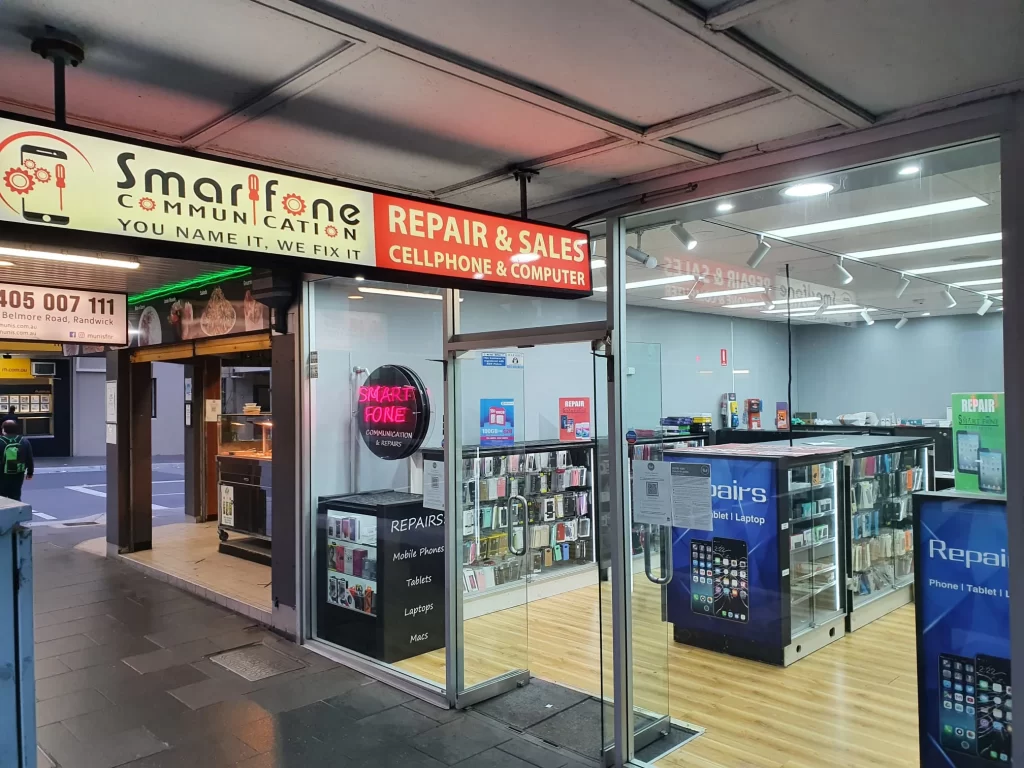
Cracked Galaxy Tab screen, a battery that won’t last, or a port that won’t charge? Bring it to Smartfone’s walk-in shop at 102 Belmore Road, Randwick. A technician checks the tablet, tells you the price and turnaround time, and nothing starts until you say yes. Every repair carries a 3-month warranty.
★ 4.6 from 186 Google reviews · Repairing phones on Belmore Road since 2014 · Open 7 days.

Galaxy Tab models we repair
| Family | Models we list | Note |
|---|---|---|
| Galaxy Tab S | Tab S2 (incl. Tab S2 VE, SM-T710, SM-T719N), S3, S4, S5e, S6, S7, S8, S9, S10, plus FE models (Tab S7 FE, S9 FE, S10 FE) | Includes Plus/Ultra and Lite versions where parts are available; for the newest models, call to check part stock |
| Galaxy Tab A | Tab A 7.0, Tab A 10.1, Tab A7, Tab A8, Tab A9 | Popular family and kids' tablets |
| Galaxy Tab Active | Tab Active rugged models | Parts vary by generation, call first |
| Older and other models | TabPro S, earlier Galaxy Tabs | Call ahead to check parts |
Got a model that isn’t in the table? Call before you come in. Tablet parts are model-specific and some need ordering, so a quick call saves you a second trip.
How to find your model number
- Open Settings.
- Tap About tablet.
- Look for the Model number. Samsung model numbers start with “SM-“, for example SM-X110.
Many Galaxy Tabs also show the model number printed near the bottom of the back cover.
Samsung tablet repairs we do
Our Samsung tablet repair services cover the faults we see most often on Galaxy Tabs. The final price depends on your model and the part, and you get it at the counter before any work begins.
| Repair | Typical signs | What to expect | Typical timeframe |
|---|---|---|---|
| Screen and display | Cracked glass, lines, black patches, touch dead in one area | We check whether it's glass only or the display panel too. Most Galaxy Tab screens are bonded, so the panel is usually replaced as one unit | Same day when the part is in stock; we confirm when we quote |
| Battery | Drains fast, shuts off early, back or screen lifting | Battery health check, then replacement. A swelling battery is handled as a priority | Same day when the part is in stock |
| Charging port | Charges only at an angle, slowly, or not at all | We clean the USB-C port first; replace it only if cleaning doesn't fix it | Often same day |
| Power and volume buttons | Button stuck, soft or not responding | Button or flex cable repair | Depends on model and part |
| Speakers and microphone | Muffled sound, no audio, video calls can't hear you | Clean, test, replace the faulty part | Depends on model and part |
| Cameras | Black camera app, blurry photos, cracked lens | Camera module or lens repair | Depends on model and part |
| Back panel | Cracked or dented rear housing | Panel replacement where parts are available | Depends on model and part |
| Liquid damage | Tablet got wet, won't turn on, fogging under glass | Assessment first; we explain what can be done before any repair | Usually a day or two |
| Software and boot problems | Freezing, boot loops, very slow after an update | Diagnostics, software repair and reinstall (with your backup) | Often same day |
Common jobs often take 30 to 90 minutes. Liquid damage and less common models can take longer.
Common Samsung tablet problems and how to solve them
Most phone faults give you a warning before they become expensive. This is what we’d tell a friend on the phone, whatever brand they own.
Stop pressing on the crack and cover sharp edges with clear tape. If the screen still works, back up now with Samsung Cloud, Google or Smart Switch. Don’t try to lift the glass yourself, as most Galaxy Tab screens are bonded to the display. Bring it in when touch stops working or lines start spreading.
Restart the tablet and remove the case and screen protector, a common cause of “ghost touches”. Then try safe mode: open the power menu and hold Power off until Safe mode appears. If touch works there, an app is the problem. Bring it in when the fault stays in safe mode or began after a drop.
Many Tab S models have AMOLED screens, and damage often shows as a green line or a spreading black patch. Restart once in case it’s a software glitch, then back up straight away, as patches can grow. Bring it in when the line or patch stays after a restart; it usually means a display replacement.
For drain, check Settings > Battery to see which apps use the most power, and lower brightness. If the screen is lifting or the back is bulging, stop using and charging the tablet and don’t press on it, as a swollen battery is a fire risk. Bring it in when you see any swelling, or the battery won’t last your normal day.
Try a different USB-C cable, adapter and wall socket. Shine a torch into the port; if lint is packed inside, switch the tablet off and lift it out gently with a wooden toothpick, never metal. Bring it in when it still won’t charge or only charges at an angle. We clean the port first and only replace it if needed.
Check the nib for wear, charge the pen if your model has a battery, and look under Settings > Advanced features > S Pen. Remove any thick screen protector and try a fresh note. Bring it in when the pen stopped working after a drop or only writes in some areas. We test pen and screen separately before quoting.
Hold the side key and volume down for about ten seconds to force a restart. If it boots, free up storage and try safe mode to spot a problem app. Don’t factory reset without a backup, as it erases everything. Bring it in when it won’t finish booting or keeps restarting; we’ll tell you upfront if a reset is unavoidable.
Repair or replace your Samsung tablet? An honest guide
Not every tablet is worth fixing, and we’ll say so. If the repair costs less than about a third of a comparable tablet and yours still gets updates, repairing usually makes sense. If it’s four or more years old, out of updates or has several faults, replacing it may be smarter.
Still under Samsung’s warranty? Contact Samsung first, as opening the tablet elsewhere can affect that cover. Planning a trade-in? Ask us for the repair price and compare, with no pressure either way.
Parts, warranty and data
Parts. We fit quality-tested replacement parts. They aren’t always Samsung originals, so if that matters to you, ask which part your quote is for and we’ll tell you before you agree.
Warranty. Every tablet repair carries a 3-month warranty on the parts we replace and the work we did. To claim, bring your receipt or a bank statement showing the payment to Smart Fone Communication. The warranty doesn’t cover new drops, liquid damage or misuse after the repair. It sits alongside your rights under the Australian Consumer Law, which our warranty doesn’t limit.
Your data. Screen, battery and port repairs don’t normally touch what’s stored on the tablet. We still recommend a backup before any repair, and especially after liquid damage, as we can’t guarantee data recovery.
Independent repairer. Smartfone is an independent repair shop. We’re not affiliated with or authorised by Samsung.

How a Samsung tablet repair works at Smartfone
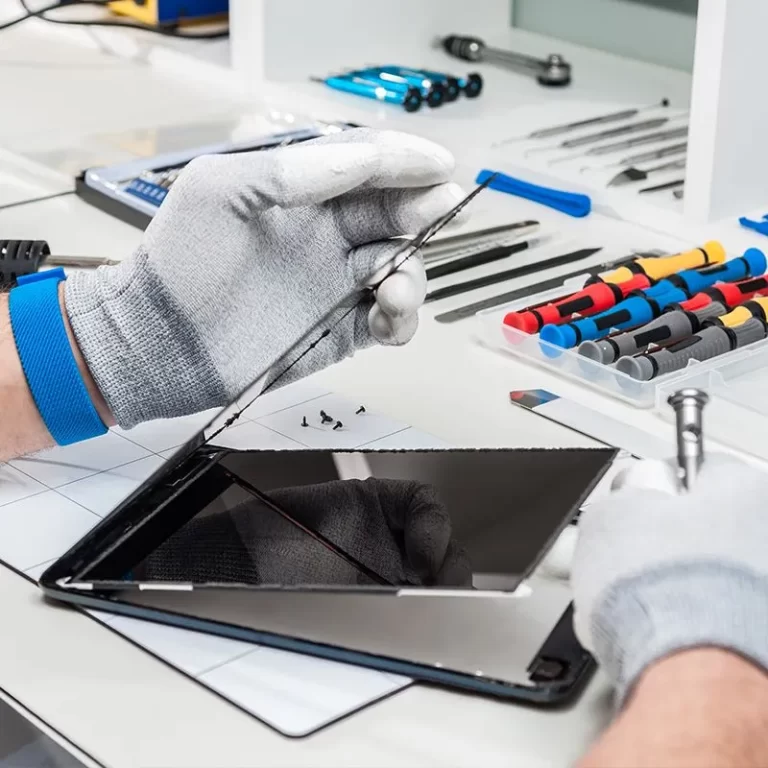
A Samsung tab repair with us follows the same five steps every time.
- Walk in or call first. Come in during opening hours, no booking needed. For a less common model, call (02) 8377 6985 or 0470 505 835 so we can check the part.
- We find the cause. A technician checks what’s behind the symptom. A tablet that won’t charge might only need its port cleaned, which changes the price.
- You get the price and time first. We tell you the cost, which part we’d fit and how long it should take. Nothing starts until you agree.
- Repair and test. After the repair we test touch across the whole screen, the display, charging, buttons, cameras, audio and, if you use one, the S Pen.
- Collect it. Your receipt is your warranty record. If the tablet can’t be fixed, we explain why and you don’t pay for the attempt.
Why customers choose Smartfone
- Trading since 2014 from one shop on Belmore Road, Randwick, where every repair is done.
- 4.6 stars from 186 Google reviews, the good and the critical, all public on our Google Business Profile.
- Price before work, with no charge if the repair can’t be done.
- 3-month warranty on parts and labour, with the terms in writing.
- Open 7 days and easy to reach by the L2 light rail, bus or car.
Fixing a different device? - Galaxy phone owners: see our Samsung phone repairs.
- Using an Apple tablet? Head to our Apple tablet repairs page.
- For other handsets, see phone repairs across Sydney and Oppo, Huawei and other Android brands.
- Store hours, parking and directions are on our Belmore Road store page.

Frequently Asked Questions
Where can I find a Samsung tablet repair near me in the eastern suburbs?
At Smartfone’s walk-in shop, 102 Belmore Road, Randwick. We’re open 7 days, a short walk from the Randwick light rail stop, and no booking is needed.
How long does a Galaxy Tab repair take?
Common screen, battery and charging-port jobs are often done the same day when the part is in stock. Some parts need ordering, and you get the expected time with your quote.
How much does it cost to fix a Samsung tablet?
It depends on the model and the part. You get the exact price at the counter before any work starts, and you don’t pay if we can’t fix it.
Which Galaxy Tab models can you repair?
Galaxy Tab S (S2 to S10, including FE models), Tab A, Tab Active and older models like the TabPro S. For less common models, call first so we can check parts.
Will I lose my data during the repair?
Screen, battery and charging-port repairs don’t normally affect your data. Back up anyway, and we’ll tell you before starting if a repair could involve a reset.
Will my S Pen still work after a screen replacement?
It should. We test the S Pen across the whole new screen before you collect the tablet. If the pen itself is faulty, we’ll tell you.
Get a Free Consultation
Share your details and project requirements. We’ll reach out with expert guidance and a personalized quote.
Find us on Belmore Road
Smartfone: 102 Belmore Road Randwick NSW 2031 Australia
Hours: Monday to Friday 9:30am–5:30pm · Saturday and Sunday 10am–5pm
Phone: 0470 505 835, 0283776985
Email: info@smartfone.com.au
Our Samsung Tablet Repair Randwick counter is at 102 Belmore Road, Randwick NSW 2031.