
You plug your iPhone in, the cable clicks into place, and nothing happens. No charge. It feels odd when the charger looks normal. You tested it with another device, and it charged as expected. So why will your iPhone not charge at all?
In most cases, the issue is the iPhone. If the charger works somewhere else, it is usually not the cable, the plug, or the wall outlet. The cause can be small, like dirt in the charging port. It can also be more serious, like battery wear or a hardware problem.
At Smartfone, we see this same situation often for people in Sydney and Randwick. Most of the time, you do not need to swap the whole phone. In this guide, we explain why your iPhone may refuse to charge even when the charger is fine. We also list safe steps to try at home, and we share when you should stop and bring the phone in for a proper check.5
Quick Answer: Why Won’t My iPhone Charge If the Charger Works?
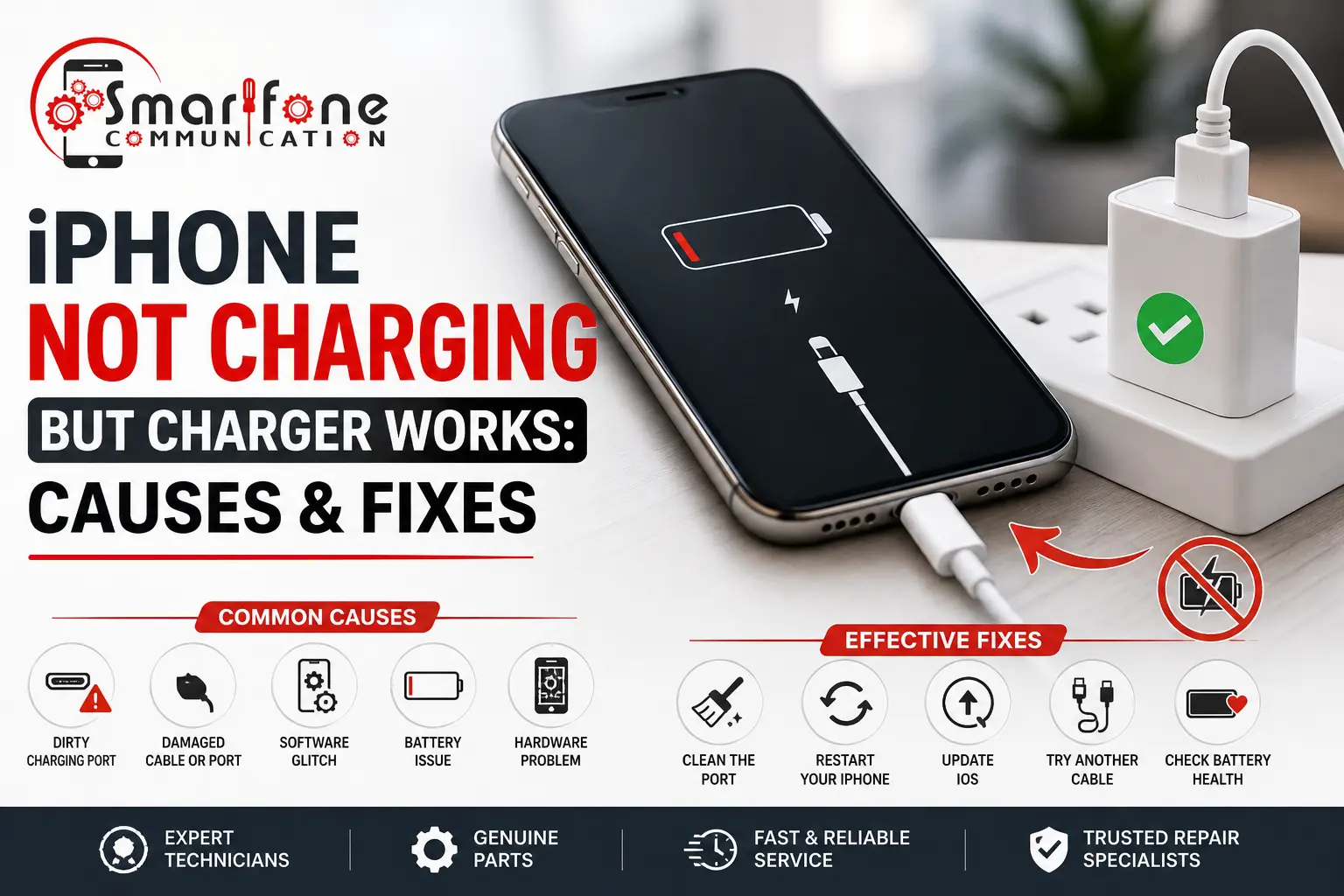
If the charger can charge a different phone, but your iPhone still will not charge, start with a few basic checks. Look closely at the Lightning or USB-C port. Dirt and lint can build up in there. Also check the port for a bend or any crack. If the battery has aged, it may fail too. In some cases, a software issue can stop charging.
Sometimes the cause is inside the phone. Moisture or water exposure can also lead to charging trouble. To be sure, a repair shop can run a full diagnostic test.
Table of Contents
- Why Your iPhone Is Not Charging Even When the Charger Works
- Signs the Problem Is With the iPhone, Not the Charger
- 8 Common Reasons an iPhone Is Not Charging
- How to Fix an iPhone That Is Not Charging
- When DIY Fixes Are Not Enough
- Can a Charging Port Be Repaired Without Replacing the Phone?
- How Smartfone Diagnoses iPhone Charging Problems
- How Much Does It Cost to Fix an iPhone Charging Issue?
- Frequently Asked Questions
Why Your iPhone Is Not Charging Even When the Charger Works
When a charger and cable test fine on another device, the fault sits inside the iPhone. There are five broad categories worth understanding first.
Battery issues. A battery that’s degraded past a healthy capacity threshold can struggle to hold or accept a charge, particularly under load or in warmer weather.
Charging port problems. The Lightning or USB-C port is a mechanical connector. Bent pins, worn contacts, or debris all interrupt the physical connection needed to pass power through.
Software bugs. iOS manages charging behaviour, including safety cut-offs. Occasionally, a bug in that layer stops charging from registering correctly even though the hardware is fine.
iOS updates. A failed or interrupted update can leave background processes in a confused state, sometimes affecting power management until the device is restarted or updated again.
Internal hardware faults. Charging ICs, battery connectors, or logic board components can fail from age, drops, or liquid exposure — these sit deeper than anything a cable swap will fix.
Signs the Problem Is With the iPhone, Not the Charger
Before assuming the worst, it helps to rule things out systematically. These signs point squarely at the phone:
- The charger and cable charge a different iPhone or device without issue
- Multiple different cables produce the same non-charging result
- Charging is intermittent — it works if you wiggle the cable or hold it at an angle
- The battery percentage doesn’t move even after 20–30 minutes plugged in
- The device feels noticeably warm or hot while attempting to charge
If two or more of these apply, you’re very likely dealing with a device-side fault rather than an accessory problem.
8 Common Reasons an iPhone Is Not Charging
1. Dirt or Debris in the Charging Port
Signs: The connection feels loose. Charging will start, then quit. The cable will not sit flat.
Why this happens: Lint, dust, and tiny bits of sand can collect in the port. Over time, they can get in the way and stop the pins on the plug from making full contact.
Fix: Clean it gently and keep it dry. Use a soft brush or a wooden toothpick. Do not use any metal piece or anything sharp.
2. Damaged Charging Port
The cable seems kind of slack, or the tip will not slide in smoothly. Sometimes it will not snap into the port at all. Charging might begin only if you hold the plug at one exact angle. This issue can show up after you unplug and plug it back in many times. It can also start after the device takes a fall. Inside, the metal pins could be bent out of shape. Or the port area around it may split or crack. Most of the time, a tech has to check and repair it. In some cases, the charging port has to be swapped out.
3. Faulty Battery
You might see a few things. Charging can take longer than it used to. The charge can stop at a certain point and not go higher. After that, the battery may drain much faster. On some days, the device will power off even though nothing was expected.
This likely points to a battery issue. Lithium-ion cells age as they get used. With every charge, the battery takes on extra wear. Over time, the pack may lose the ability to hold as much energy. That is why it may not reach a full charge anymore.
Try this right away. Open Settings and look for battery health. If the capacity shown there is far below what you remember, you may need to replace the battery.
4. Software Glitch
Sometimes it charges, and sometimes it does not. The phone may be plugged in, but the screen does not show any charging symbol. This can happen from a brief glitch in how iOS manages power. Try a force restart. In many cases, this fixes it right away. No shop or repair is usually needed.
5. iOS Update Problems
After the update, charging started acting weird. The phone or tablet may feel slow, or it may not respond right away.
One reason could be that the update did not finish cleanly. A bad update can also mess with parts of the system that run in the background.
First, look for another update and install it if there is one. If you do not see an update, restart the device so the update can finish settling.
6. Water Damage
Signs: The charging port has corrosion. The phone was just exposed to moisture. Charging starts, then stops, or acts inconsistently.
Why this happens: Water can get inside and corrode the small contacts. It may also activate the phone’s liquid alert and stop charging.
What to do next: Stop trying to charge right away. Have a repair shop check it for water damage. Trying to force a charge while the port is wet can make the internal damage worse.
7. Overheating Protection
After the phone gets hot, charging may stop for a bit. This can happen after games, map use, or when the device sits in direct sun.
This is by design on iOS. The system slows or stops charging when the temperature is too high, so the battery and internal parts stay safe.
To fix it, move the phone to a shaded area with airflow. Let it cool down, then try charging again.
8. Internal Hardware Failure
The phone shows no sign of charging. It will not turn on at all. Trying different cables and power sources does not change anything.
This usually points to a problem with the charging IC, the battery plug, or the logic board. It can happen after wear over time. It can also follow a past drop. Liquid damage can be another reason.
Fixing it needs board level checks. An experienced technician has the tools to inspect and repair the unit.
How to Fix an iPhone That Is Not Charging
Before you book a repair, do this first.
- Check the cable and the adapter. Try them with a different device. Then swap to another cable on your iPhone. This helps you find what is not working.
- Clean the charging port. Turn the phone off. Use a soft brush with bristles or a wooden toothpick. Keep it at a light angle and only lift debris. Do not use metal pins or needles. Do not use compressed air either. Those can move dirt deeper or hurt the pins.
- Do a force restart. This can clear temporary software issues. It will not erase your data.
- Go to Settings. Tap General. Tap Software Update. If you see an option to install an update, do it.
- Use a Qi wireless pad and see if the phone charges that way. If it works on wireless but not with the cable, the problem is often the charging port. It is less likely to be the battery.
- Check the battery screen. Open Settings, then go to Battery, then Battery Health and Charging. Review the maximum capacity reading. If it has fallen a lot, the battery could be worn out.
- Try a settings reset. Open Settings, then General. Tap Transfer or Reset iPhone. Choose Reset, then Reset All Settings. This should fix software setting glitches. It should not remove your photos or other personal files.
Do not do these things. Do not place metal items inside the port. Do not force the cable in or pull it hard. Do not open the phone yourself. Stop charging if the device gets very hot, looks puffy, or shows any signs of liquid.
When DIY Fixes Are Not Enough
If you’ve worked through the steps above and the iPhone still won’t charge, the issue likely needs hands-on repair:
- Charging port replacement — for bent pins, worn connectors, or physical damage
- Battery replacement — when battery health has dropped too far to hold a reliable charge
- Board-level repair — for charging ICs or logic board faults beyond the port and battery
- Water damage diagnostics — corrosion needs specialist assessment before any further charging attempts
Forcing a fix on any of these without the right tools can turn a simple repair into a much more expensive one.
Can a Charging Port Be Repaired Without Replacing the Phone?
Yes. A charging port that is broken or stuck is often fixed by swapping just that part. In many cases, you do not have to replace the whole iPhone. Repairing the port usually takes less time and costs less than getting a new phone. This is true as long as there is no bigger internal issue.
How Smartfone Diagnoses iPhone Charging Problems
Every charging complaint we see at Smartfone starts with a professional inspection: a physical check of the port, pins, and cable interface before anything is touched. Next, we do diagnostic checks. We look at how the device charges, how the battery is doing, and where the issue sits. It can be the charging port, the battery, or a deeper problem on the board.
We also keep things clear from the start. You will see what is wrong and what steps are needed to fix it before any work begins. We do not give a foggy estimate after the problem is already handled. If the problem is only the port or only the battery, many jobs can be done the same day. This is helpful for people in Randwick and nearby areas across Sydney. You usually do not have to stay without your phone for long.
How Much Does It Cost to Fix an iPhone Charging Issue?
There’s no single fixed price for a charging repair, because the cost depends on what’s actually wrong. Several factors influence the final figure:
- iPhone model — newer models with different port hardware and tighter internal layouts can cost more to service than older models
- Battery vs charging port repair — battery replacements and port repairs are priced differently based on parts and labour involved
- Extent of damage — a simple clean-out or pin realignment costs far less than a board-level repair following water damage
- Diagnosis first — getting an accurate diagnosis before repair is what prevents paying for the wrong fix
The safest way to know what you’re actually looking at cost-wise is a proper diagnostic assessment rather than guessing based on symptoms alone.
Frequently Asked Questions
This usually points to a fault isolated to the Lightning or USB-C port — debris, bent pins, or a worn connector — rather than the battery or logic board, since wireless charging bypasses the port entirely.
Yes. Enough built-up lint or dust can fully block the pins from making contact, stopping charging altogether rather than just slowing it down.
In most cases, yes. It’s typically far cheaper than replacing the phone and resolves the issue completely when the fault is isolated to the port.
Many port and battery repairs can be completed same-day, though board-level or water damage repairs may take longer depending on the extent of the issue.
Yes. Moisture causes corrosion on internal contacts and can trigger the phone’s built-in liquid-detection charging cut-off, both of which stop normal charging.
Not indefinitely. If two or three different chargers and cables all fail, the fault is with the phone.
Only if the battery is the actual cause — check Battery Health first, since a port or software fault won’t be solved by a new battery.
It’s not recommended. Charging port pins are delicate, and DIY attempts often cause more damage than they fix.
If basic troubleshooting hasn’t resolved the issue, or you notice heat, corrosion, or physical port damage, it’s time for a professional look.
Key Takeaways
If your charger powers other devices but your iPhone will not turn on, the issue is usually with the iPhone itself. A common reason is grime or pocket lint in the charging port. A frayed or bent charging tip can also block power. If the tip looks okay, the battery may be getting weak, but that is less common. Sometimes the cause is just a small software glitch.
Start with quick checks. Use a light and look inside the port for dust. Then check the plug end of the cable. Look for cracks, sharp bends, or anything that looks worn. Also pay attention to how it sits in the port. If it feels loose, that matters. Stop immediately if the phone gets hot while you charge it. Stop if you notice green or white residue near the port too. Stop as well if you plug it in and the iPhone shows zero signs of life, with no screen activity at all.
If none of that helps and the charging still seems off, Smartfone can run a full device test. They will explain the result in simple terms. You should not have to guess what is wrong. You should also not feel pushed into buying parts you do not need.
Get in touch or drop into our Randwick location for a professional assessment.