
It usually starts small. Your phone rocks slightly when you tap it on the desk. The case feels tighter than it used to. Most people put it down to wear and tear and carry on.
That’s how a swollen phone battery often goes unnoticed; left untreated, it can become a genuine safety risk. At Smartfone, our technicians in Randwick see this pattern regularly across Sydney’s eastern suburbs, and the earlier a battery is checked, the simpler the fix usually is.
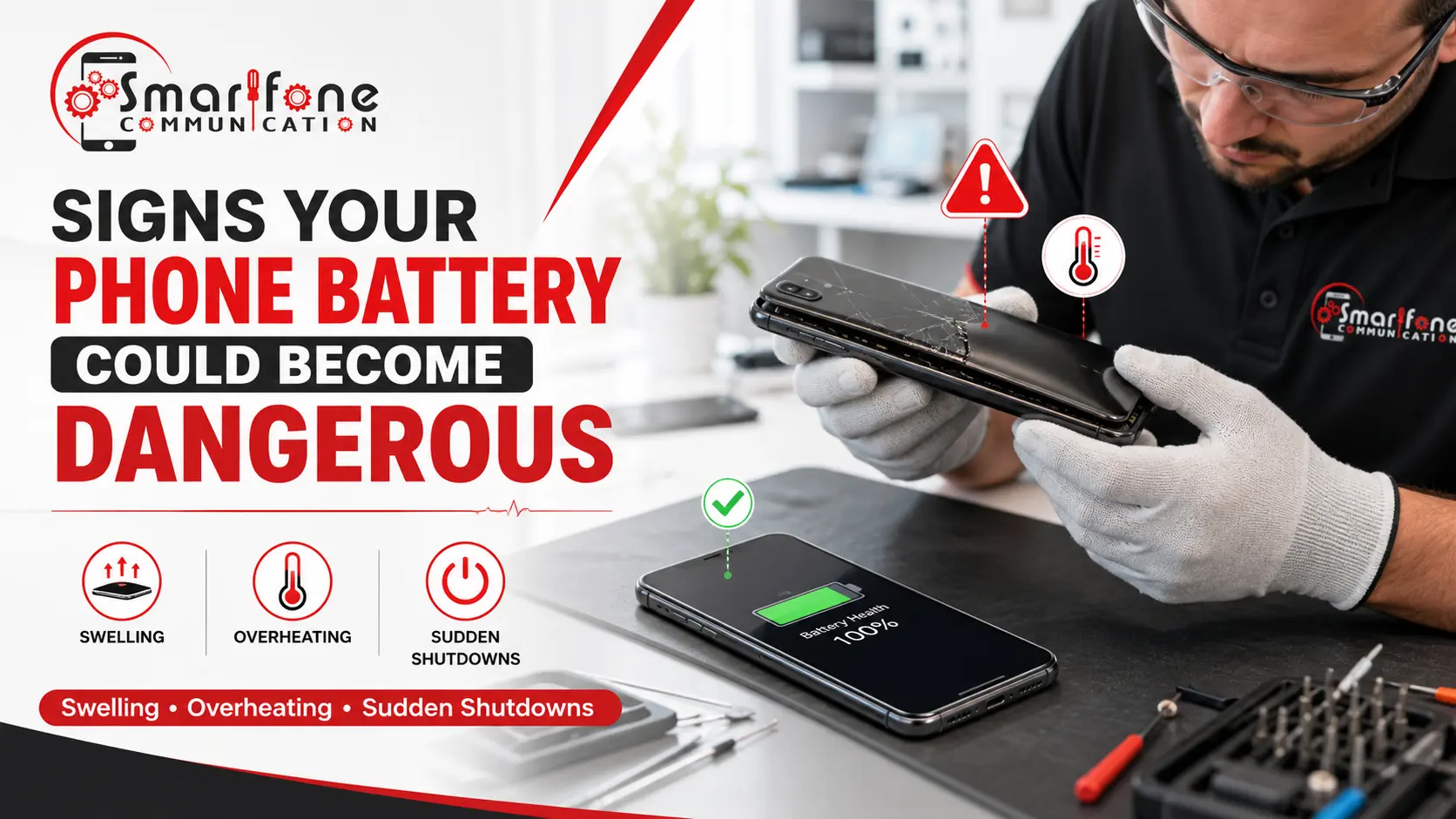
Quick answer: What are the signs of a dangerous phone battery? The main signs are a screen lifting from the frame, a bulging or separating back cover, overheating during normal use, rapid battery drain, random shutdowns, charging faults, and unusual chemical smells. If you notice any of these, stop charging the phone and have it inspected by a professional.
What Is a Swollen Phone Battery?
A phone battery can swell when it is a lithium-ion pack and gas forms inside the sealed shell. The battery grows because that gas has no place to go. These batteries are usually flat pouches with very little space. So when they expand, they press on the screen, the back cover, and parts close by.
That gas can come from reactions that happen within the cell. This often shows up as the battery ages, or when it gets hot, or after damage. A swollen battery should not be brushed off. The extra pressure does not stop on its own, and the cell cannot go back to how it looked before.
Why Phone Batteries Become Dangerous
Batteries start to feel unsafe when the stuff inside the cell starts breaking down sooner than it should.
Here are some usual triggers:
- Wear from age: each charge and discharge cycle affects the cell a little. After about 500 full cycles, many batteries start to drop off in performance.
- Too much heat: leaving a phone in the sun, like on a car dash, speeds up aging. In an Australian summer, this is pretty easy to do.
- Charging problems: people blame overnight charging, but newer phones stop at 100%. Still, low-quality chargers and heat during charging can cause more damage.
- Physical hits: a fall or a bend can dent the cell or harm the layers inside.
- Bad batches: rare, but manufacturing flaws can occur.
- Water getting in: moisture can corrode parts and may lead to short circuits. See our water damage repair case study.
10 Warning Signs Your Phone Battery Could Become Dangerous
1. Screen Lifting Away From the Frame
A thin gap appears along the display edge. The swelling battery is pushing the screen against its adhesive, and left alone, it can crack the display.
2. Back Cover Bulging or Separating
The back panel bows outward, or a seam opens. The same internal pressure is finding the weakest point. Glass can break if it gets hit or stressed. A battery that is squeezed harder can also get hurt more easily.
3. Battery Draining Extremely Fast
Your phone slips from 80% down to 30% fast. Or it shuts off before lunch. Ageing cells lose capacity. Fast drain alone isn’t dangerous, but alongside other signs, it points to a failing cell. Our battery drain guide covers everyday causes.
4. Phone Overheating During Normal Use
Warmth during gaming or charging is normal. Heat while browsing or idle isn’t. A degraded cell generates extra heat, which speeds up further degradation.
5. Random Shutdowns
The phone switches off at 30% or restarts under load. A worn battery can’t deliver stable voltage. Sudden shutdowns can also corrupt data.
6. Charging Problems
Charging is slow, keeps stopping, or won’t start. It might be the battery, the port, or the cable. That is why figuring it out matters.
7. Battery Percentage Jumping Up and Down
The reading drops from 60% down to 20%. After that, it jumps back up. The battery watch system does not spot a worn cell well, so the shutdown time is hard to predict.
8. Strange Smells or Chemical Odours
You might catch a sweet smell, like metal or something like solvent. That could mean gas is leaking from a damaged cell. Take it seriously right now. Turn the phone off. Move it away from anything that can catch fire.
9. Visible Expansion Around the Device
Your case no longer fits, or the phone won’t sit flat. A little bump can show up before there’s any clear gap. Take the case off first. Then check the phone under bright light.
10. Phone Feels Warped or Bent
The phone flexes when pressed or has a visible curve. Expansion can distort the frame, or a bend can damage the battery. Either way, internal parts are under stress.
Is a Swollen Phone Battery Dangerous?
Short answer: yes. A battery that looks puffed up is a bad sign. Leave it alone. Do not plug it in. Do not keep it in your pocket. Do not walk away from it while you think. If someone hits it, crushes it, or it starts to warm up, it can leak. It can also produce smoke. In some cases, it can catch fire. Fires do not happen often, but they are not mild. Heat and swelling can also hurt the phone. The display can crack. The main board can stop working. You could also lose power when you least want it, and then your pictures may be in danger. Before you do anything else, if it is not hot and it looks steady, copy your data out first.
What Should You Do If Your Phone Battery Is Swollen?
Unplug it now. Take the charger out of the wall outlet.
- If you can, power the phone down in a safe way.
- Place the phone on a firm, cool surface. Keep it away from blankets, paper, and curtains.
- Do not put your hand on the swollen area.
- Do not press it. Do not poke it. Do not try to press it flat.
- Arrange a professional check as soon as you can.
What not to do
- Do not pull the battery out on your own. It is stuck in place, and one wrong move can poke the battery and cause harm.
- Don’t keep charging “just to get through the day”.
- Don’t put it in regular household trash. If the lithium-ion battery is damaged, it has to be recycled the right way.
Can You Continue Using a Phone With a Swollen Battery?
No, it is not a good idea. In the near term, you can see overheating, fluid leaks, and sudden power-offs. Over time, swelling tends to continue, cracking screens and stressing the logic board.
Delaying usually makes the repair bigger. If you spot a battery that is swelling right away, fixing it can be simple, like a direct swap. If you ignore it for weeks, it can damage other parts too.
How Professionals Diagnose Battery Problems
A diagnosis usually begins with a battery check. The test measures the amount of charge it can store. It also checks the number of times the unit has charged and discharged. Then we see how it behaves when power is drawn and it is under load. After that, an internal check is done. We look for swelling, bad bonding, melted adhesive, leftover marks, and any harm to parts around it.
Next comes a safety review. A swollen cell can be unsafe, so it needs a different approach than a normal cell. At Smartfone, we report what we see before we start any work. If the battery is not the main concern, we will say that plainly.
When Does a Battery Need Immediate Replacement?
Replace the battery straight away if you notice:
- A visible bulge, gap, or lifted screen
- A back cover that’s bowing or separating
- A chemical or sweet smell
- Heat while the phone is idle or off
- Residue or fluid near the battery
- Sudden shutdowns combined with charging problems
In any of these cases, stop using the phone and book an assessment.
How to Prevent Phone Battery Swelling
- Avoid extreme heat. Keep your phone off dashboards and out of direct sun.
- Use quality chargers. Stick to certified chargers and cables.
- Keep software updated. Updates often improve battery management.
- Try not to run the battery down again and again. If you can, charge it in the middle range, like from about 20% up to around 80%, instead of letting it hit 0%.
- Also keep an eye on battery health. Check the health screen in settings and consider replacement once capacity falls well below 80%.
How Smartfone Helps With Battery Issues
Our Randwick shop at 102 Belmore Road handles battery problems every week. You can expect:
- Let’s do the right checks first. We want to know if the battery is failing, if the charging port is the problem, or if something else is behind it.
- We test and replace batteries for iPhones, Samsung phones, and other brands too.
- Every part is checked before it goes into your device. It also comes with a 3-month warranty.
- You will be told what we find before we do any work. If we cannot fix it, you do not pay us.
Other faults can often be handled in the same visit through our phone repair services.
Frequently Asked Questions
Look for a phone that rocks on a flat surface, a gap at the screen edge, a bulging back, or a case that no longer fits.
It’s rare, but a swollen battery can leak, smoke, or catch fire if punctured, crushed, or overheated.
No. Charging adds heat and pressure to a compromised cell. Unplug it and get it inspected.
Gas builds up inside the cell due to age, heat, poor chargers, physical damage, or occasionally, manufacturing defects.
It depends on your phone’s model and battery type. Newer flagships generally cost more. We quote after assessment.
Yes. The expanding battery pushes the display upward, which can lift or crack it.
Most last two to three years, or roughly 500 full charge cycles, before noticeable decline. Heat can shorten that.
If you see swelling, feel unusual heat, or notice a chemical smell, yes. Switch it off and have it checked.
Don’t Ignore the Warning Signs
If you notice the screen lifting, do not ignore it. Check the device closely. If the back cover looks raised, or if it gets hot fast, take it seriously. If the battery drains much quicker than it should, that is another warning. Also note it if the phone turns off by itself and gives no warning. Keep an eye out for charging issues too. Watch for any strange smell as well. Even one of these signs means you should look at it. If you spot two or more at once, get help right away.
If you suspect the battery is swelling or has become unsafe, call Smartfone and ask for a battery check. Phone 0470505835. You can also visit 102 Belmore Road, Randwick NSW 2031.