
You charge your phone at night, but by morning it looks almost the same. Or you leave the house with it at 12%, and during the trip the battery barely moves. Phone charging slowly is frustrating, and it is not always the charger that is to blame. At Smartfone, we help people in Randwick and around Sydney figure out charging problems. In many cases, the reason is something you can check in just a few minutes.
Quick Answer: Why Is My Phone Charging Slowly?
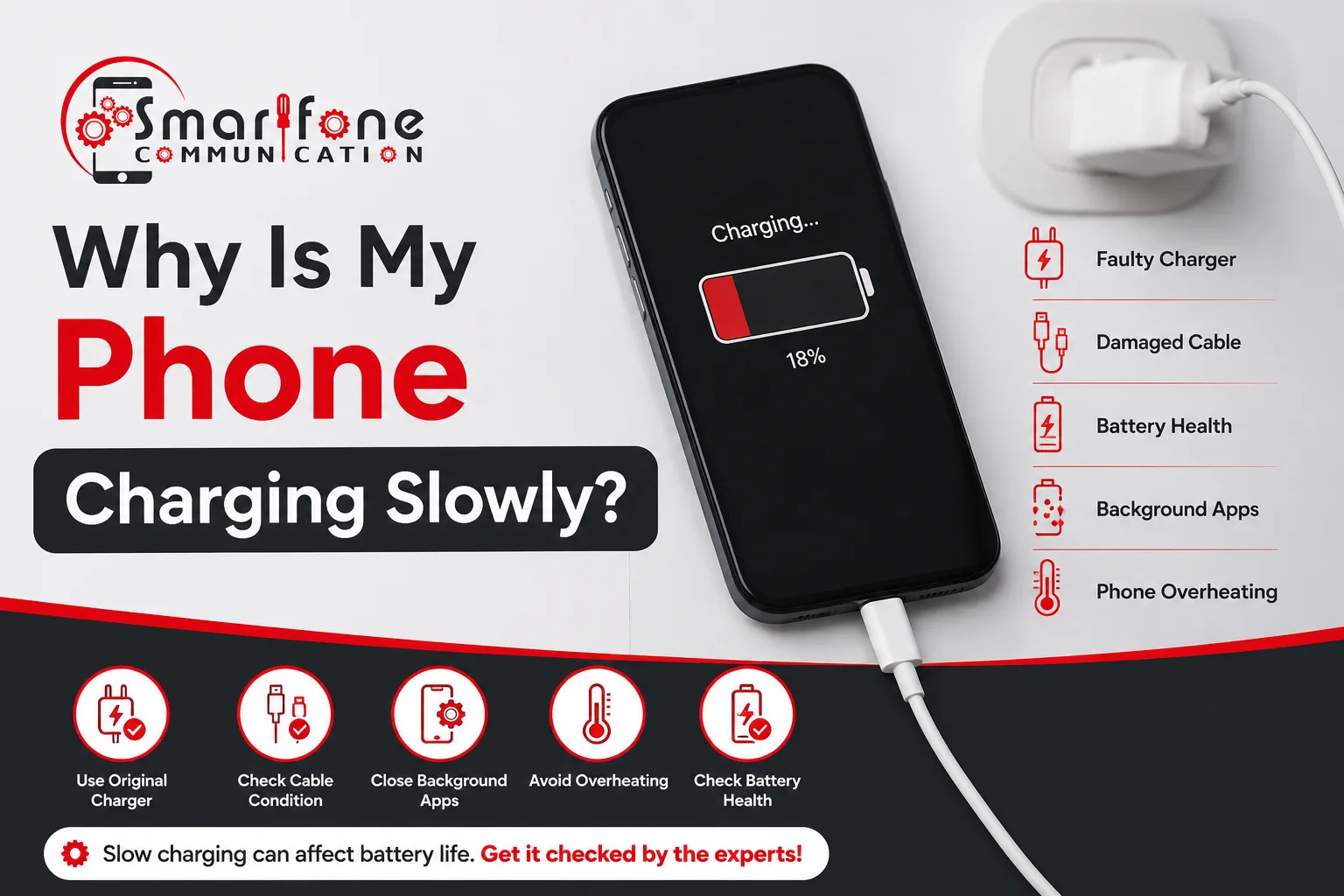
Slow charging can be caused by several things. One common issue is a damaged or worn cable. Another problem is a charger that cannot push out enough power. Dust in the charging port can also stop the phone from charging well. A damaged port can do the same. A battery that is older may also charge slower over time. Some phones slow down when apps keep running in the background. Heat can also be a factor. If the phone feels warm, charging often gets slower. Old software may add to the issue too.
Start with a new cable. If that does not help, use a different charger. Then clean the port with care, without forcing anything. After that, restart the phone. Next, look for system updates and install them. If it still charges slowly after all of this, have a technician inspect the phone.
What Causes a Phone to Charge Slowly?
Slow phone charging usually comes from less power reaching the battery. It can also happen when the battery cannot use that power well. Often, the reason fits one of these common cases.
- A worn battery is one cause. Over time, it may not take in charge as easily as it used to.
- A charger or setup problem can also do this. If the cable is damaged or the adapter is too weak, the phone may get too little power. Then charging feels slow.
- The charging port matters too. If the port is dirty or loose, the plug may not sit firmly. When the link is not steady, power transfer drops.
- Sometimes it is software. A bug can change how the phone manages charging and power limits.
- Apps running in the background can also slow it down. While you charge, some apps still use power, so the net gain is smaller.
- Heat is another factor. If the phone gets warm, it may hold back charging to protect the battery.
How to Tell Whether the Problem Is the Phone or the Charger
Start over with a fresh cable. After that, switch to a different adapter. Then plug it into another outlet.
- If the charging gets faster after the last change, the accessory is what caused the problem. If the speed does not change, the phone is the main suspect.
- Use a charger that you trust and know works. Choose an adapter with enough power for your phone.
- Next, try another cable. Cables often fail before adapters do.
- Then use a new outlet. This helps you tell if the wall socket or the power strip is at fault.
- If you can, test with a second device. If another phone charges fast with the same cable and charger, then your phone is the one acting up.
- Pay attention to any alerts on the phone. If charging only works at a certain angle, if the phone gets very warm, or if slow charging began after a fall or after it got wet, those signs point to the phone.
10 Common Reasons Your Phone Is Charging Slowly
1. Dirt or Debris in the Charging Port
Pocket lint can build up inside the charging port. Over time, it can block the plug so it does not go in all the way. You might notice that the charger feels a bit wobbly or not firm.
Some people see the battery start charging, then it pauses and stops. Try this. Turn the phone off first. Then look closely at the port. See if there is dust or lint inside. If you find it, clean it carefully. Use a wooden toothpick or a soft brush to clear it out gently.
2. Damaged Charging Cable
Sometimes the cable has loose strands, bent prongs, or a break you can not see. When that happens, less power gets to the device. One clear clue shows up during charging. If it only works when you hold the cord at an angle, the connection is likely failing.
3. Low-Quality Power Adapter
If you use an old or generic adapter, it might not deliver enough power. Then the fast charge feature may not turn on. Your phone still charges, but at a slow rate. Make sure the adapter is certified and supports the wattage your phone is rated for.
4. Battery Health Decline
Over time, a battery can lose power. At first, the drop may be small and easy to miss. Then the phone or other device may run out sooner than it did at the start. You might also notice that charging now takes longer than you remember.
Some phones let you view battery health in the settings. If the number shown looks poor, you may need to replace the battery.
5. Too Many Apps Running in the Background
Even when your phone is plugged in, it still pulls power. This happens when you stream, play games, or use maps. Because of that, the battery may not fill up as much. To help, close apps you are not using. You can also turn on a power-saving mode while you are charging.
6. Phone Overheating While Charging
If your phone is getting warm, charging can slow down. Touch the back and see if it feels hot. Look at the screen too for a heat notice or any alert. If you have a thick case, remove it for a little while. Keep the device away from direct sun. Also, do not place it under a blanket or in bed. Wait for it to cool before you charge it again. If it keeps getting too hot even when you are not using it, get it looked at by a trained tech.
7. Software Bugs or Outdated Operating System
A bug in power management can make charging slower or show the battery at the wrong percent. If this started after a software update, try a restart first. Also, if the battery percent jumps around in a weird pattern, restart again. After that, check whether a newer update is available and install it.
8. Fast Charging Not Enabled
Fast charging only happens when a few parts line up. Your phone has to support it. You also need a compatible cable. On top of that, you must have a power adapter that can push enough power. Some models also require you to turn a setting on. If you skip any of these, the phone usually falls back to slower charging. Check your phone’s manual for the exact steps. Then make sure the fast charging option is turned on.
9. Water or Moisture Damage
Water can grind down metal contacts inside a phone. Some devices will stop charging when they detect moisture. You may get a pop-up alert, or the charging may begin and then cut out. If that happens, unplug the charger right away. Leave the phone to dry for a bit. After that, book a service check for possible water damage.
10. Internal Charging Hardware Fault
Charging may fail if the internal charging route is broken. A torn flex cable can lead to the same issue. Sometimes the logic board is at fault.
Work through it in order. If you try chargers and parts you already tested, and it still will not charge, then the phone is likely the problem. If the screen never shows the charger icon, that is a clear clue. If you cleaned the port and nothing changed, you can suspect what is inside.
At that point, bring it to a repair tech so they can check it in person.
How to Fix a Phone That Is Charging Slowly
Begin with the low-cost steps. Check the accessories next, then the port. Try a restart after that. Afterward, look at software and settings.
- Check the cable and the adapter. Search for fraying, bent pins, or any color change. If you can, use another cable and adapter set.
- Clean the charging port with care. Turn the phone off first. Use a wooden toothpick or a soft brush to take out lint. Do not scrape the metal contacts.
- Restart the device. This can fix small temporary bugs.
- Run a software update. Install the newest update for your phone.
- Limit background work. Close apps you are not using. Lower the screen brightness. Turn on power saver mode.
- Look at fast charging. Make sure your phone supports it. Also confirm your cable and adapter work together.
- Check battery condition. On iPhone, open Battery Health & Charging. On Android, the screen name can change by brand.
What Not To Do
- Do not put metal pins or needles in the port.
- Do not spray any liquid or cleaner into the connector.
- Do not push a plug in if it does not fit.
- Stop using the cable if it looks broken or torn.
- Do not charge a phone that is wet or extremely hot.
- Avoid the cheapest no-name accessories.
Can a Charging Port Cause Slow Charging?
A bad charging port, or one that is loose, will not connect well. If there is corrosion or a blockage, charging may slow down too. When you have to push the cable in again and again, the connector can get worn. After that, the plug may not fit snugly. With a weak fit, power may cut in and out.
Sweat can leave moisture in the area, and that can lead to rust on the metal contact points. Dust and lint can also gather in the port over time. If gentle cleaning does not solve it, the next step is to get the charging port repaired.
Can an Old Battery Cause Slow Charging?
Over time, lithium-ion batteries lose capacity. You may also see power delivery feel less steady. That can change how your phone charges each day.
Some phone makers adjust charging behavior as the battery ages. Even so, a replacement may be worth it when the signs are obvious. For instance, you might notice fast power loss, random shutdowns, a phone that runs warmer than it used to, or a battery health score that drops. If the battery looks swollen, stop using the phone immediately. Get it checked as soon as you can.
When Slow Charging Is a Sign of a Repair Issue
Basic fixes can only go so far. If you notice any of these issues, you might need a repair.
- Charging works only when you hold the cable just right. This can point to a loose or worn port, or a damaged plug.
- Charging keeps cutting out. The phone may start to charge and then stop over and over.
- Charging gets weak or does not work well after a while. A weak battery or a port that is failing can cause this.
- The phone does not even recognize the charger. It may treat accessories as if they are not there, even if they work on other devices.
How Professionals Diagnose Slow Charging Problems
A proper diagnosis comes first. It helps us spot the real cause before we change any part. Our team checks the charging port closely, using a magnifier. After that, we review the battery health and look at how power moves through the charging path. Then we open things up and inspect the inner components for problems. At Smartfone, we go through each step in sequence. This way, the final fix matches the issue that is truly there, not a guess.
Should You Repair or Replace the Phone?
That really depends on the phone and what is wrong with it. If it is a newer model, and the port is worn out or the battery is just old, a repair is often a good idea. If the phone is older and it has more than one problem, it can be harder to justify fixing it.
Here are a few things to weigh:
- How old the device is. Older phones may not last as long.
- The repair price. Check the quote against what the phone is worth to you.
- What kind of fault it is. Fixes for the port or battery usually cost less and are more limited than a deeper logic board issue.
- Get a proper diagnosis first. When you know the real cause, it is easier to decide without guessing.
How Smartfone Helps Fix Slow Charging Problems
Smartfone serves customers in Randwick and greater Sydney, Australia, with practical, customer-first advice. Our approach includes:
- Professional diagnostics to find the cause of slow charging.
- Charging port repairs for worn, loose, or blocked connectors.
- Battery replacement services for degraded batteries.
- Water damage assessment when moisture is suspected.
- Transparent repair recommendations, so you know what’s needed and why.
- Quick turnarounds where parts and the fault allow.
Frequently Asked Questions
Sudden slowdowns often come from a damaged cable, debris in the port, a software glitch, or heat. Try another cable and adapter, then clean the port.
Yes. Damaged or low-quality cables can restrict power, even when the phone and adapter are fine.
It can. A worn battery may charge less efficiently and behave differently while charging.
Yes. Moisture can corrode contacts or trigger charging restrictions. Unplug the phone and have it assessed.
Not always. Cables, ports, and software are common causes. If the battery also drains quickly or shuts down, it may be ageing.
Look for a loose plug, charging at certain angles, frequent disconnecting, or visible debris or corrosion.
Sometimes. If a bug is behind the problem, an update or restart can help. Hardware faults need repair.
Fast charging is designed to be safe when you use compatible accessories. Heat is the bigger concern, so avoid charging under pillows or in direct sun.
It depends on the phone model and fault. Smartfone can give you an estimate after diagnosing the problem.
Conclusion
Slow charging can happen for a few common reasons. A cable can go bad. The charger brick can be too weak. The charging port may be dirty or worn. The battery can also age. Some apps running in the background can pull power. Heat can slow things down too. Software glitches can play a part as well.
Many of these checks are easy to do at home. After you try the basic steps and it still charges slowly, call Smartfone. We can look into it and help you figure out what to do next in Randwick.