
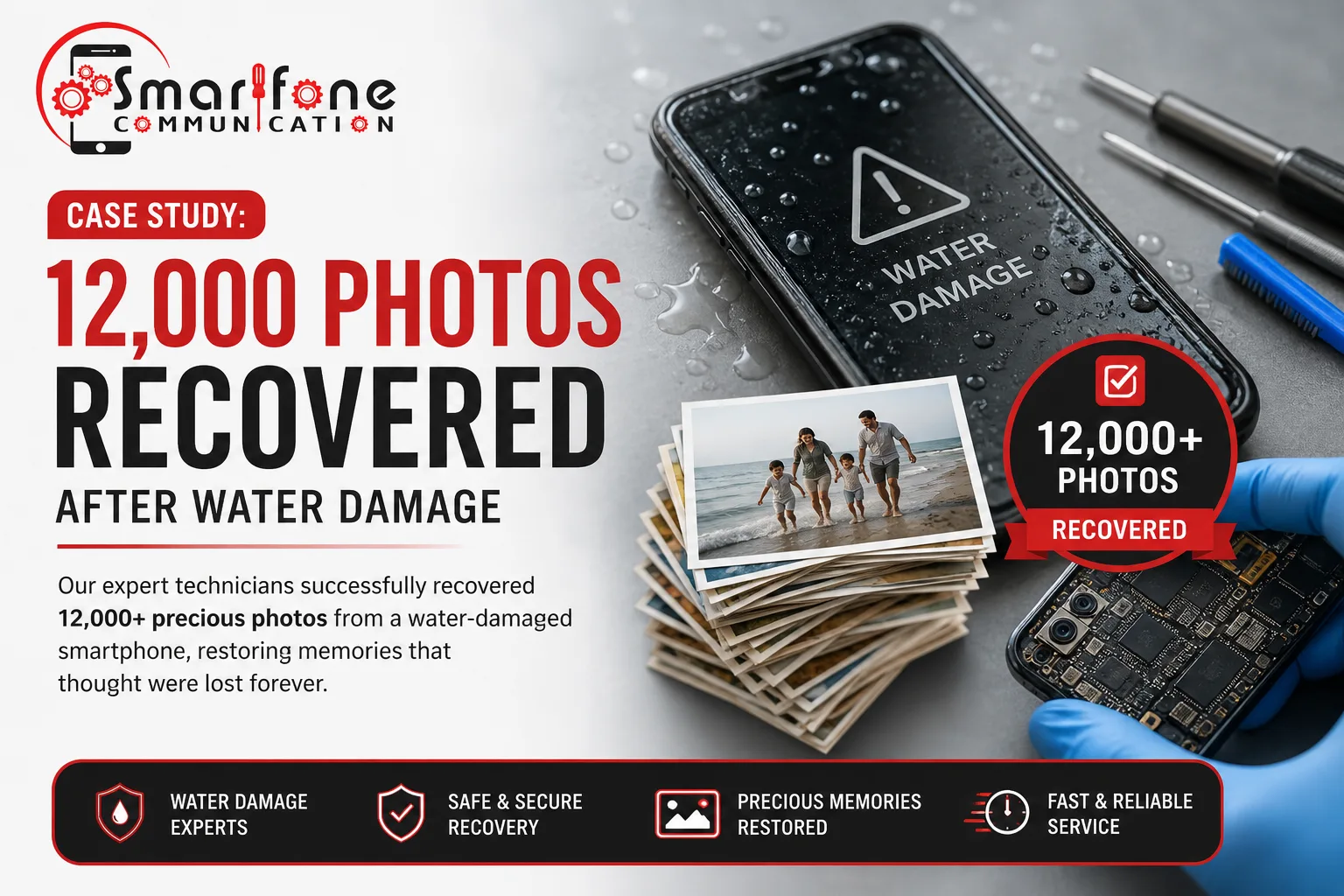
Can you recover photos from a water-damaged iPhone? Often, yes, but not always. The outcome depends on how far corrosion has spread, whether the phone’s storage is still intact, and whether copies exist in iCloud. Acting quickly and not charging the phone gives you the best chance. Here is how Photo Recovery iPhone on an iPhone typically works, using a 12,000-photo scenario.
For most people, 12,000 photos is not a number. It is school concerts, holidays, a parent’s last birthday, and years of ordinary days. When a phone goes into the sink, the pool or the surf, the first worry is rarely the handset. It is whether the memories are gone. This article walks through a scenario like the ones the team at Smartfone, a phone repair shop in Randwick.
How Did Water Damage Put 12,000 iPhone Photos at Risk?
Picture a customer whose iPhone dropped into water, then went black and would not restart. They hadn’t checked their backup in a long time.
Liquid is a problem because it carries minerals and conducts electricity. Inside an iPhone, it can cause a short circuit, which is when current flows where it shouldn’t and damages components. Over hours and days, it also causes corrosion, a chemical reaction that eats into metal contacts on the logic board, the main circuit board.
The photos themselves are stored on the phone’s internal storage. Water usually damages the pathways to that storage (power, charging, and display circuits) before it damages the storage. That is why a dead phone does not always mean lost photos. It also means the clock is ticking.
What Should You Do First After iPhone Water Damage?
Apple’s guidance and standard repair practice agree on the basics:
- Unplug any cable or accessory. Don’t plug in a wet iPhone to “test” it.
- Switch the phone off if it’s safe and possible. Then stop pressing buttons.
- Gently tap it against your hand with the connector facing down to let the liquid out.
- Leave it somewhere dry with airflow. Don’t use a hairdryer, direct heat, or compressed air.
- Skip the rice. Apple warns that rice particles can get into the phone and cause damage.
- Get it assessed if the photos matter. Do this soon, because corrosion progresses while moisture remains.
Apple notes that recent iPhones can warn you when liquid is detected in the charging port and stop charging until it dries. Treat that warning seriously. Apple does allow an emergency override, but charging a wet connector can cause permanent damage. Source: Apple Support, “If you see a liquid-detection alert on your iPhone”.
How Does Smartfone Approach iPhone Photo Recovery?
The steps below describe a general workflow.
- Inspection. A technician checks for liquid contact indicators and visible moisture or corrosion.
- Safe power-down. The battery is disconnected so no current runs across a wet board.
- Cleaning and corrosion treatment. The logic board is cleaned and affected contacts are treated.
- Targeted diagnosis. The technician tests power, charging, and data pathways one by one to find what is blocking access.
- Repair and data check. Faulty parts are repaired or replaced. Only when the phone is stable is the photo library checked.
Here is the key point: the goal is to get the phone stable enough to read its own storage, not to rebuild files from scratch. If storage is physically damaged, or the phone cannot be brought back, recovery may not be possible.
Worried about your photos? Smartfone can assess a water-damaged iPhone before any repair decision is made. Contact Smartfone for an Assessment
What Makes Recovering Photos From a Water-Damaged iPhone Difficult?
Three factors drive the outcome:
- Corrosion. Early corrosion can often be treated. Advanced corrosion can eat through tiny connections.
- Component damage. A failed charging circuit, display connector, or battery can stop the phone from starting even when storage is fine.
- Encryption. iPhone data is encrypted and tied to the device’s own hardware. Photos generally can’t be read from a loose storage chip without a working phone. Recovery usually means repairing the original device.
Because each case differs, no reputable repair shop can promise success before inspecting the phone.
What Happened to the 12,000 Photos?
If the real case was only partly successful, say so. A partial result with an honest explanation builds more trust than a perfect one. In our illustrative scenario, the pattern that matters is simple: the phone was powered down early, assessed promptly, stabilised, and then checked for its photo library.
Can You Recover Photos From a Water-Damaged iPhone Without a Repair?
Sometimes. If iCloud Photos was on, your photos may already be stored in iCloud and available on a new device or at iCloud.com. If you made an iCloud or computer backup, you can restore from it. Apple also keeps deleted photos in the Recently Deleted album for 30 days.
If none of these exist, professional assessment is the realistic next step.
How Can You Protect Your iPhone Photos From Future Data Loss?
- Turn on iCloud Photos (Settings > your name > iCloud > Photos), and make sure you have enough storage.
- Check that backups are working. Look at the date of your last iCloud backup under Settings > your name > iCloud > iCloud Backup.
- Make a second copy of irreplaceable photos on a computer or external drive.
- Test it once a year. Sign in to iCloud.com and confirm your photos are actually there.
For tips on keeping your phone safe around water, see how to protect your phone at the beach.
Frequently Asked Questions
Often, but not always. Recovery depends on corrosion, whether the storage is intact, and whether iCloud holds copies. A technician can only confirm what’s possible after inspecting the device. Acting quickly and avoiding charging improves the odds.
First, check iCloud Photos or a backup, which may hold your photos already. If not, stop trying to power it on and have a technician diagnose the fault. A phone that won’t start can still have intact storage.
No. Apple advises waiting until the connector and cable are completely dry, because charging a wet connector can corrode the pins and cause permanent damage. Apple allows an emergency override, but if the photos matter, don’t charge it.
Yes, if iCloud Photos or iCloud Backup was on before the damage. Sign in to iCloud.com or restore to a replacement iPhone. If your last backup is old, newer photos may be missing.
No. Outcomes vary with the extent of corrosion, component damage, and storage condition. A reputable provider should explain what they find and not promise results before inspection.
Unplug it, switch it off if you can, gently tap out loose liquid with the connector down, and leave it somewhere dry with airflow. Avoid rice, hairdryers, heat, and compressed air. Don’t try to charge it.
Need Help With iPhone Photo Recovery?
If your iPhone has been exposed to water and the photos matter, Smartfone offers iPhone repair and water damage assessment at Shop 102, Belmore Road, Randwick NSW 2031. Call 0470 505 835 or get in touch online. No repair shop can guarantee recovery, but an early, honest diagnosis tells you where you stand. You can also read about water damage repair and long-term hardware issues.
Contact Smartfone for an Assessment