
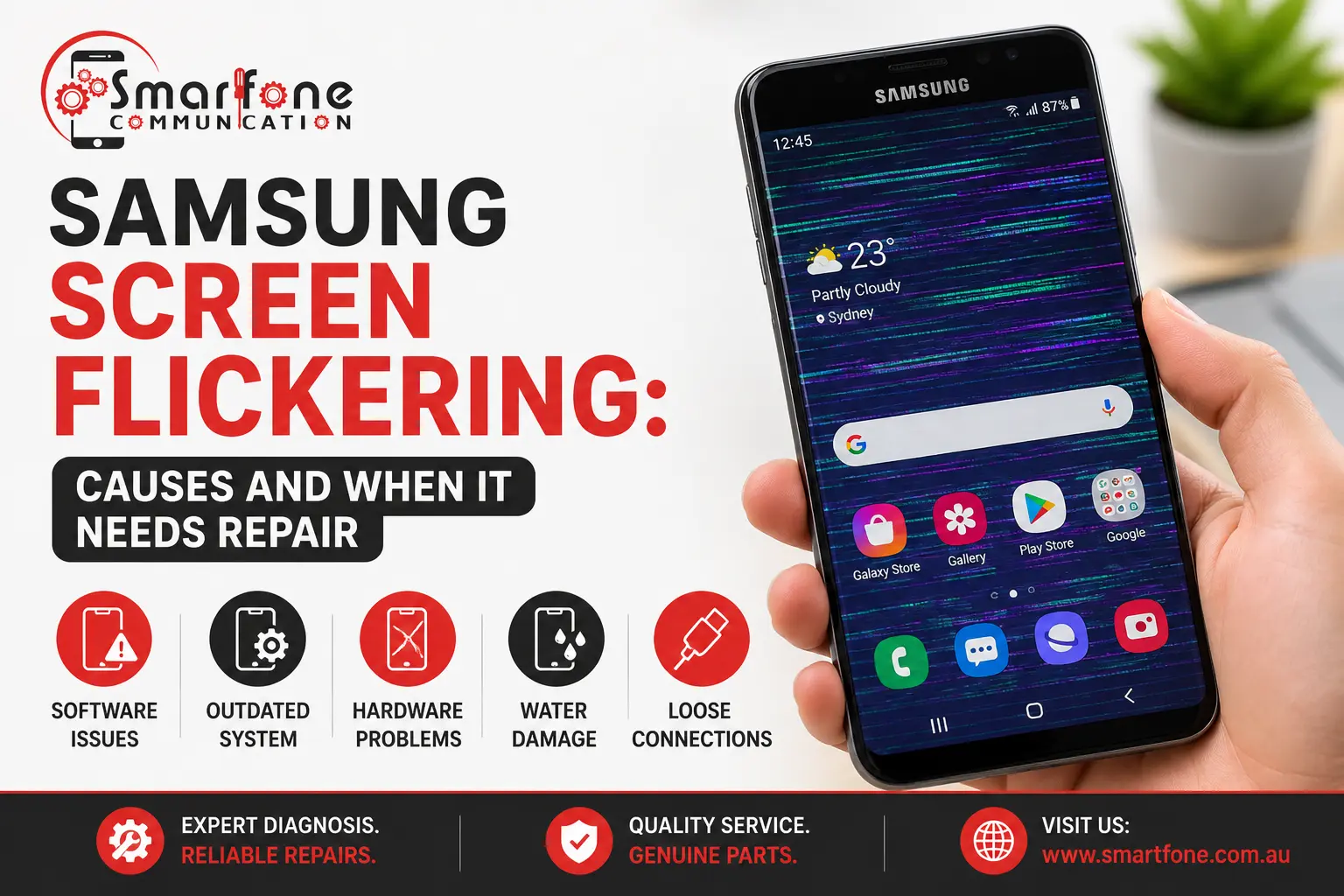
Short answer: Samsung screen flickering is usually caused by a display setting, a faulty app, a software bug, or a failing display. Safe Mode tells you which. If the flicker stops in Safe Mode, an app is to blame. If it carries on, Samsung itself says it is likely a hardware fault, and the display needs repair.
Your Galaxy’s screen flashes, pulses or strobes, sometimes only at low brightness and sometimes all the time. People call it Samsung display flashing, shimmering, or glitching, but it comes down to a short list of causes. At Smartfone in Randwick, we fix Samsung phones and tablets, and this checklist will go through the tests in the sequence done by our technician to ensure that you pay for a repair only if you really need one.
What does Samsung screen flickering look like?
Match your symptom to the likely cause before you change anything.
| What you see | Likely cause |
| Flickers mainly at low brightness or when the light changes | Adaptive brightness or refresh-rate setting |
| Flickers only while charging | A faulty charger or cable, or a power fault |
| Started right after a software update | A software bug, often fixed by a later update |
| Flickers in one app only | That app |
| Flicker comes with coloured lines, black patches or ink-like spots | A display panel fault (see our guide to Samsung green line on screen) |
| Started after a drop or liquid exposure | A damaged display or a loose display connection |
| Flicker with a hot phone or a bulging back | A swollen battery. Stop charging it and bring it in straight away. |
How to fix Samsung screen flickering, step by step
Work through these in order. Change one thing at a time so you know what helped.
- Reboot your phone. A reboot will remove most of the temporary errors.
- Check for any software updates and update your apps. Go to Settings > Software update and make sure there is no update available, and then go to the Google Play Store and update your apps.
- Change the display settings. In the menu Settings > Display, disable Adaptive Brightness, set Motion smoothness to Standard (if your device supports it), and reduce the screen resolution (if your device provides this feature).
- Check Samsung’s charger and cable. If the problem only occurs when the phone is charging, there is an issue with the charger or the charging port.
- Test using Safe Mode. To use Safe Mode, press the Volume Down and Side buttons until the power menu pops up, then touch and hold the Power Off option and tap Safe Mode. This way, only the system apps are working. If the problem goes away, uninstall your recently installed applications until the flicker disappears.
- According to the official Samsung support page, “If the issue persists even in Safe Mode, it is likely a hardware issue rather than a software issue.”
- Perform the screen test included in the device’s settings. Samsung Members app (Support > Phone diagnostics) offers a built-in display test, which can also be triggered by dialling #0#. Flickering or lines on the screen during the test indicate that the screen itself is at fault. This test may not be available for carrier-branded phones.
- Do a backup before resetting the device. If Safe Mode solved the flickering but you could not identify the app responsible, a factory reset might help. Back up the device first. You should not reset the device if it.
That is the full Samsung screen flickering fix list for software causes. If the flicker survives step 5, stop troubleshooting and plan for a repair.
When does Samsung screen flickering need repair?
Expect a hardware repair when the flicker:
- continues in Safe Mode or shows up in the display test
- starts after a drop, a bend, or liquid exposure
- comes with green or pink lines, black spots, dead patches, or a colour tint
- gets worse over days, or appears with heat
The common reasons for this problem include damage to the AMOLED screen, damage to the display flex cable, and physical impact on the device shifting a connection without breaking the glass. A technician has to open the phone to tell which. If a connector has simply come loose, reseating it can be a smaller job than a new screen, but panel damage normally needs a new display. We can only say after we look.
What affects the cost of a Samsung screen repair?
A Samsung screen repair is priced by four things:
- Model. Flagship and foldable Galaxy phones cost more to repair than older A-series models.
- Display type. Curved AMOLED panels cost more than flat ones.
- Part type. Original, OEM, and aftermarket screens are priced differently.
- Extra damage. These issues, such as a bent frame, water damage, or broken connection, could further complicate the task.
We provide you with a definite quote listing the type of component to make sure you know the exact cost before performing any service.
If your Samsung phone is a newly purchased one or has warranty coverage, get in touch with the manufacturer or seller before purchasing a replacement component. In accordance with Australian Consumer Law, a non-accidental defect can be remedied for free. That is general information, not legal advice.
Before you bring your Samsung in
- Back up your information using Smart Switch, Samsung Cloud, or Google. Flickering screens may shut down without notice.
- Observe the event leading to the problem, like an update, a new application, a fall, or switching chargers. It will fast-track the analysis process.
- Bring your charger if the issue occurs while you charge your phone.
What happens at Smartfone
We do an inspection at no cost at all and then test the display in order to determine if the problem lies with the screen, connection, or some other issue. After this, we provide a fixed quote identifying the component and only proceed when you approve. Most Samsung screen repairs are done the same day when the part is in stock, and every repair comes with a three-month warranty. Our Samsung phone repair in Sydney page lists the models and faults we cover.
Frequently asked questions
Sudden flicker usually comes from a setting change, a recent app, a software update, a charger problem, or, after a knock, a loose display connection. Test in Safe Mode first. If the flicker continues there, the display or its connection is the likely cause.
Yes. A bug in an update can change how the refresh rate or brightness behaves, and later updates often fix it. Install any pending update, then try the display settings in step 3 before assuming a repair is needed.
Only if the cause is software. If the flicker also appears in Safe Mode or in a display test, a reset will not help because the fault is in the hardware. Back up your data before any reset.
Short term, yes, but the fault can spread and the screen can fail. If you see lines, heat, or a bulging back, stop using the phone and have it checked. Back up your data now.
Most Samsung screen repairs at Smartfone are completed the same day when the part is in stock. Water damage or an unusual model can take longer, and we tell you before we start.
Get a free look and a fixed quote.
A persistent flicker will most likely be caused by an issue with the screen. Get your Samsung device checked at Smartfone, 102 Belmore Road, Randwick NSW 2031, where you can get a free diagnosis and a fixed quote prior to any repairs. 0470 505 835. All repairs are covered by a three-month warranty.